
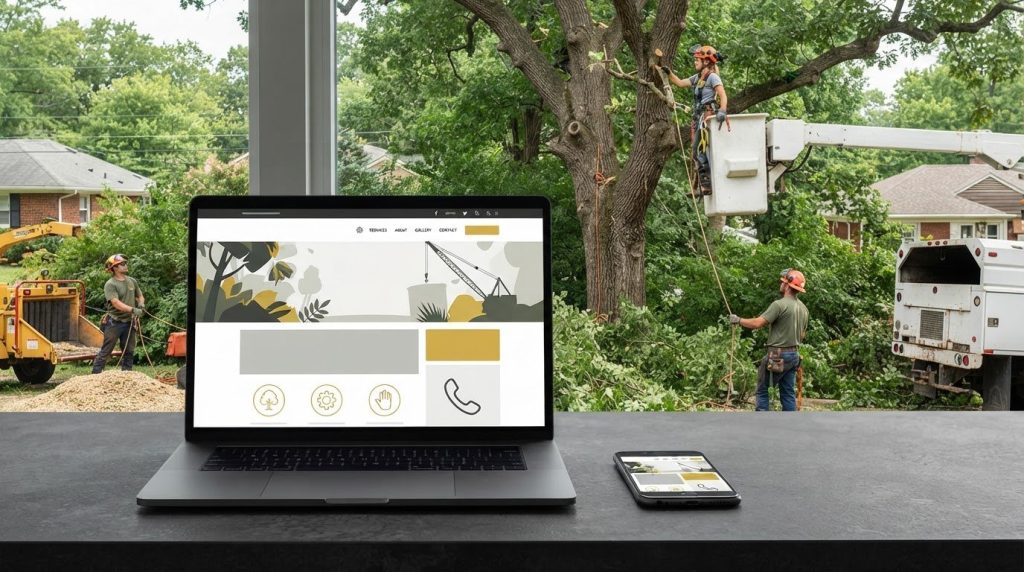
A template can give you a starting point at no charge, but it won’t build a working tree service website by itself. Tree service website design still needs clear mobile navigation, an easy-to-find phone number, and pages that explain the work you take on.
You may be trying to keep setup costs down while your crews are on jobs and the phone still needs answering. Templates are worth considering, but they help only when customers can quickly find your services, service area, and contact details.
This guide explains what website templates include and where their limits show up. You’ll also learn how call-focused layouts, original project photos, and examples from other tree service sites can help you plan a practical website around your crews and capacity.
Key Takeaways
- Use a template as a starting structure, then shape the pages around your services, service area, and the work you want to book.
- Make mobile navigation simple so customers can find your phone number and service details without hunting through menus.
- Build each page around a clear next step, such as calling or submitting a job inquiry, rather than decorative features.
- Choose project photos that show the kind of tree work your crews handle and help customers understand your capabilities.
- Study other tree service websites for useful layout ideas, then make the content specific to your own crews, services, and area.
Are these tree service website templates worth using?
If you’re comparing website builders between estimates, a template can reduce the design work at the start. Some builders include templates in a basic plan, while domain registration, hosting, or added features may cost extra. Check what the plan includes before building pages for tree removal, pruning, or stump grinding.
The right builder is one you can maintain and that supports your actual needs. Check whether it allows service pages, a contact form, mobile-friendly layouts, and a custom domain. If you won’t have time to update the site during storm season, avoid a setup that depends on frequent manual changes.
A template provides a layout, not your company’s identity. Add your logo, colors, service area, crew details, and original project examples. Make clear which work your crews handle, such as crane-assisted removal or plant health care, instead of relying on generic contractor copy.
Plan the visitor’s next steps. A homeowner looking for tree removal should find the relevant service information, see whether you serve their area, and reach a call or estimate option. Test this path on a phone and computer, then remove steps that make customers search for contact details.
Register the domain to your business and keep access to the account. Before choosing a builder, find out how to export or move your pages if you change platforms. Store login information and renewal details in your business records, not only with a temporary staff member or outside designer.
Place customer reviews near the services they relate to. Ask permission before publishing a customer’s name, comments, or identifiable property details. Keep testimonials accurate, and don’t use a review to imply your crews performed work they didn’t do.
In the United States, accessibility and privacy obligations can depend on the business, the information collected, and applicable federal or state law. The same blanket rule does not apply identically to every small-business website. Use readable text, clear form labels, and a privacy notice explaining how you handle submitted contact information. A builder’s settings alone don’t establish legal compliance.
Make core services, service areas, relevant qualifications, and contact options easy to find. Identify an ISA Certified Arborist only when that credential applies to your team. A clear service page and accurate business details are more useful than template features that don’t help customers choose a service or contact you.
Responsive design and mobile navigation
Customers may check your site between estimates or while standing near a damaged tree. Tree service website design should make service details, licensing information, and contact options easy to use on a phone.
Mobile-Friendly Design
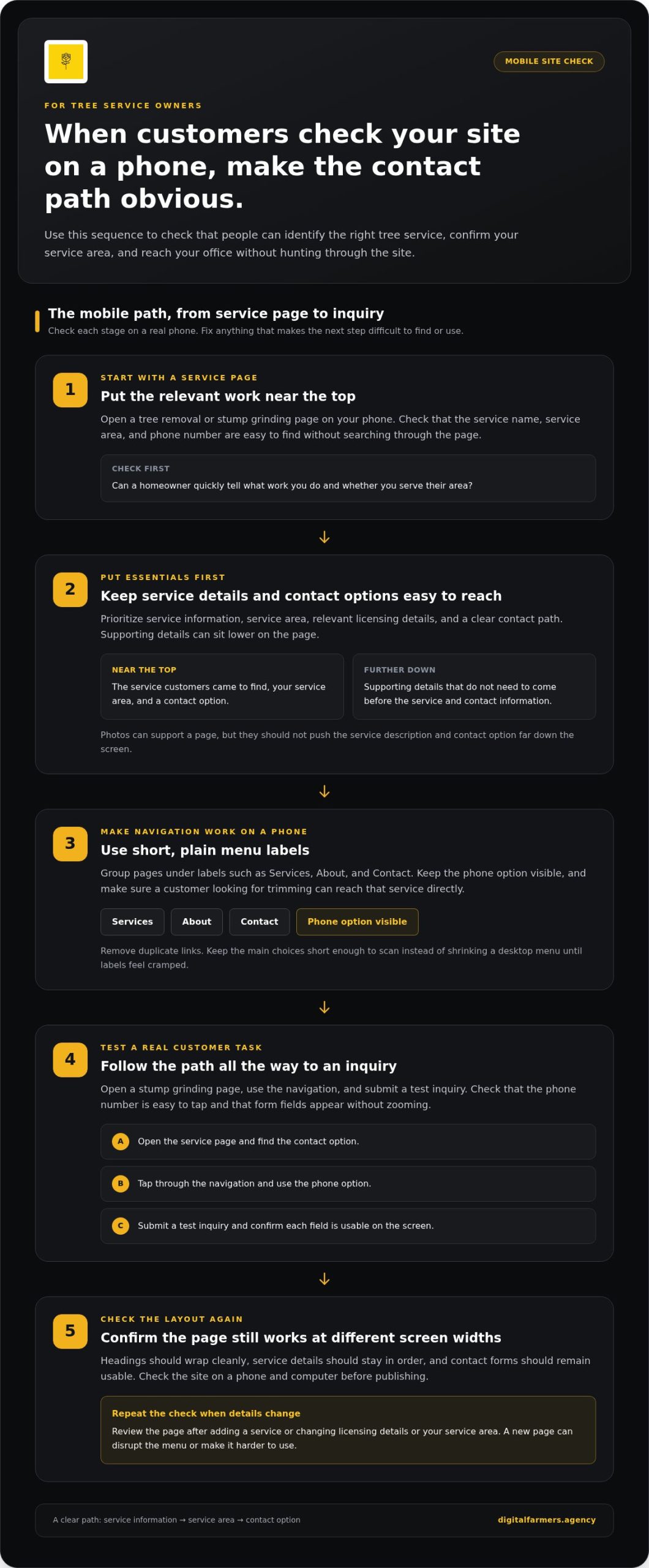
A mobile-friendly page keeps text readable without sideways scrolling. Open a tree removal page on your phone and check that the service name, service area, and phone number are easy to find and use. Buttons need enough room to tap, and forms should show each field without requiring visitors to zoom.
Test real tasks, not just the home page. Open a stump grinding page, use the navigation, and submit a test inquiry. If the form sits below oversized photos or the phone number is hard to tap, adjust the layout before customers run into the same problem.
Mobile-First Design
Mobile-first design starts with the smallest screen, then adapts for tablets and computers. This approach makes you prioritize service information, service area, licensing details, and a clear contact path. Decorative blocks and long introductions can wait until those essentials fit.
For example, put storm damage cleanup and tree removal near the top if those services drive calls. Place supporting details lower on the page. This order helps homeowners identify the relevant service before reading company background or less urgent information.
Responsive Navigation
Responsive navigation adapts to the screen instead of shrinking a desktop menu until its labels are cramped. On a phone, group pages under plain labels such as Services, About, and Contact. Keep the phone option visible so customers don’t need several taps to reach your office.
Check every menu item on a phone and computer. A customer looking for trimming should reach that service directly, not guess which general label contains it. Remove duplicate links and keep the main choices short enough to scan.
Test your site on your own phone during routine work. Open a service page with one hand, find the call option, and return to the menu. These steps reveal problems a desktop preview can miss.
Check the layout at different screen widths before publishing. Confirm that headings wrap cleanly, service details stay in order, and contact forms remain usable. Responsive tree service website design keeps the path from service information to inquiry clear on every screen.
Don’t let photos push important details down the screen. A crane-assisted removal photo can support the page, but the service description and contact option should still appear early. Resize images and remove blocks that add scrolling without helping customers choose a service.
Review the site whenever you add a service, update licensing details, or change your service area. A new page can disrupt the mobile menu or create a list that’s hard to use. Test the updated page on a phone before directing customers to it.
Website designs focused on generating calls
You may be between estimates when a homeowner needs a removal quote. A call-focused page gives visitors a clear sequence: identify the service, confirm the location, then contact your office. Make calls and estimate requests easy to find without promising a response time your crews can’t meet.
Describe services, service areas, and estimate options in plain language. Put relevant work near the top of its page, then name the towns or counties you serve. Explain how customers can request an estimate without suggesting a short form alone can produce a firm quote.
Place a call button beside the service information when the customer is ready to act. On a tree removal page, label it “Call for an estimate” rather than “Learn more.” That wording sets a clear expectation and helps visitors understand what happens when they tap.
A form gives customers another way to send an inquiry when calling isn’t convenient. Ask for their name, phone number, job location, service needed, and a short description. Include details that help assess the work, such as whether they need stump grinding or storm damage cleanup.
Keep emergency requests distinct from routine scheduling. Someone seeking storm damage cleanup should find the appropriate contact option, while a customer planning trimming can submit a standard estimate request. Don’t suggest emergency availability or response times unless your office can support them.
Make the form confirmation useful. State that you received the request and explain the next step in your process. Avoid promising a callback time unless your office can consistently meet it. Clear expectations help your team manage inquiries alongside crew schedules.
Show applicable insurance information where it helps customers assess your business. Pair it with relevant service details rather than a broad statement that leaves coverage unclear. For example, a crane-assisted removal page can describe the work and invite a call to discuss site conditions.
Track calls and form submissions separately. Note which service page prompted each inquiry, whether the job fits your service area, and whether it becomes booked work. This gives you a practical way to compare inquiries with close rate, cost per lead, and crew capacity.
Before publishing, follow the page as a customer would. Open a service page, find the estimate option, and test the form. Effective tree service website design connects a visitor’s specific tree problem with a useful conversation, without unnecessary steps.
Tree work photography and project galleries
A homeowner comparing tree removal companies needs evidence of the work, not stock images. Use photos from completed jobs to show the equipment, crew practices, and property conditions your team handles. A project gallery can make your capabilities concrete before the first estimate call.
Build each project entry around a clear example, such as a backyard removal near a house or stump grinding after a take-down. Add a short caption naming the service and describing the site challenge. Keep the wording accurate, and don’t imply your crew completed work shown in another company’s photos.
Capture each job from useful angles. Photograph the tree and surrounding structures before work, then show the crew’s setup and the finished site. For crane-assisted removal, choose images that show the crane and drop zone in context, rather than close-ups that hide the property conditions.
Use real team and equipment photos to support your branding. A crew photo beside a work truck can help visitors connect your company name with the people arriving at their property. Keep uniforms, truck lettering, and logo use consistent with your website and Google Business Profile.
Project photos and videos can show different stages of a job. A short clip might show a crew lowering a section, while still photos show the cleared area afterward. Choose material that explains the service clearly, and avoid effects or music that distract from the work.
Organize the gallery by service instead of placing every job in one long feed. Separate tree removal, cabling and bracing, and plant health care examples when you offer those services. Visitors looking for trimming can then find relevant work without sorting through unrelated projects.
Choose images that answer practical questions. A photo of a narrow access route can show the kind of property your crew has worked on. A finished-yard view can show cleanup, while a caption explains the service and conditions that shaped the work.
Keep gallery pages useful on phones. Resize large image files before uploading, use descriptive captions, and place the related service page nearby. For example, connect a stump grinding project to the stump grinding service, not to a general company introduction.
Review every gallery entry before publishing. Confirm that the photo matches the caption, your company performs the service, and the branding details are current. Remove outdated truck graphics or crew photos after a meaningful company change so the page reflects what customers will see on site.
Tree service website examples
Reviewing other tree care websites can show how pages organize services, proof, and contact details. Don’t copy a layout just because it looks polished. Compare how quickly you can identify the company’s work, service area, and next step, then use those observations to plan a site that fits your crews and customers.
Start with a service-page example. A useful tree removal page names the work, describes relevant site conditions, and explains how to request an estimate. An arborist business might give pruning, cabling and bracing, and plant health care their own pages. This structure helps visitors find information about the specific job they need.
Look at the order of information, not just the template. A clear layout can put the service description first, followed by project examples, qualifications, and contact details. If customers have to pass through company history before finding the removal service, the page makes their task harder than necessary.
Use a sample homepage to assess how the business introduces itself. Does it name its service area? Can visitors distinguish residential tree work from land clearing or right-of-way work? If your crews handle storm damage cleanup, make that service easy to identify without burying it in a broad “services” paragraph.
Review how examples describe experience and qualifications. A page can explain what an ISA Certified Arborist does for a customer without suggesting every crew member holds that credential. Tie claims to the actual people and services at your company. Precise descriptions carry more weight than generic trust statements.
Check the path from a service page to contact. On a mobile screen, open the menu, choose stump grinding, and find the phone or estimate option. Repeat the same task on a computer. This comparison reveals whether the layout works across screens or only in its desktop preview.
Use another company’s site as a reference for structure, not as a source for your claims or branding. Note useful choices, such as clear service labels or a project gallery grouped by work type. Replace their company details, photos, and language with your own. A copied page can confuse customers and misrepresent your operation.
Turn your notes into a short build plan. List the pages you need, the services each covers, and the customer action each should support. For example, a pruning page can explain the service, show relevant work, and direct visitors to an estimate request. This gives your website designer a practical layout to build around.
Digital Farmers: SEO
Digital Farmers helps tree service owners connect their website with Lead Generation, Google Business Profile, and AI Search. Consider these channels when your site explains your services but isn’t bringing in suitable inquiries for your service area and crew capacity.
A useful next step is to review how your website, business profile, and incoming calls work together. Identify where potential customers drop off and which services need clearer visibility. Results depend on your market, website, and available search demand.
To assess these pieces for your tree service company, visit digitalfarmers.agency or contact Digital Farmers.
Put Your Website to Work for Your Crews
Your website should support the work you want to book, not just fill a screen. Tree service website design should fit your service area, preferred job mix, and crew capacity. Use that as the test for future changes. If a page attracts inquiries your team can’t serve, adjust its message and service details before adding features.
Digital Farmers works with tree service companies on SEO, Lead Generation, and Google Business Profile management. These services can connect website improvements with how customers find and contact your company. The right priorities depend on your local search demand, current site, and available capacity.
For a practical next step, contact Digital Farmers for a market review call for your county at +1 (603) 802-6879. Bring the services you want to book and the areas your crews can cover. A clear plan gives you something useful to act on while you keep the crews moving.
Frequently Asked Questions
Do I own the website, and can I use my own domain?
Yes. You can register the domain to your business and retain control of your website assets. Digital Farmers states that clients own their domain, website, Google Business Profile, ad accounts, tracking, creatives, CRM, and customer data. Keep account access and renewal details in your business records. This protects continuity if staff change or you later move website management.
How should the contact and estimate page be set up?
Set up the estimate page to collect details needed to review a tree job. Ask for the customer’s name, phone number, job address, requested service, and a short description. Add a preferred contact method if your office uses one. Keep scheduling language separate from estimate requests, because reviewing a job does not automatically reserve a crew date.
What should a tree service homepage include?
Your homepage should identify your company, the work it handles, and the service area it covers. Give visitors a direct path to services, project information, and contact details. A residential tree care company and a land-clearing contractor need different service summaries. Write the opening copy around the jobs you want to book, not a broad claim that could fit any contractor.
What trust signals should appear on every page?
Keep your business name, phone number, and service-area information consistent across pages. Include relevant insurance details and qualifications where accurate, and use customer reviews with permission. If your staff includes an ISA Certified Arborist, identify that credential clearly without implying it applies to every crew member. Consistent details help prospective customers connect the page with the company they intend to call.
What should a tree service website include?
Create distinct pages for the services you perform, such as tree removal, pruning, or stump grinding. Add company information, service-area details, project examples, customer reviews, and a working contact method. Explain each job in plain terms. A cabling and bracing page, for instance, should describe the service rather than send visitors to a general list.
How can a tree service website rank in local search results?
Make your website and Google Business Profile describe the same services and service area. Build useful pages around the work customers seek, then keep business details consistent across both. A page focused on storm damage cleanup should describe that service and reflect the locations your company serves. Local visibility depends on your market, competition, and the quality of your site information.
What website photos and trust signals help tree service companies get leads?
Use original photos of work your crews completed, and label each project with the service shown. Don’t present a finished pruning job as a removal project. Pair relevant images with accurate qualifications, insurance details, and customer feedback. Review captions and image permissions before publishing, especially when a customer’s home or identifying details appear in the frame.
How can a tree service website convert visitors into calls and estimate requests?
Give each service page a clear contact path suited to the customer’s situation. A homeowner planning pruning may use an estimate form, while someone with storm damage may prefer to call. Ask only for details your office needs to assess the inquiry, then record whether it fits your service area and crew capacity. Use those records to see which pages bring qualified inquiries.